How to Track Your Growth as a Video Creator (And Why It Matters)
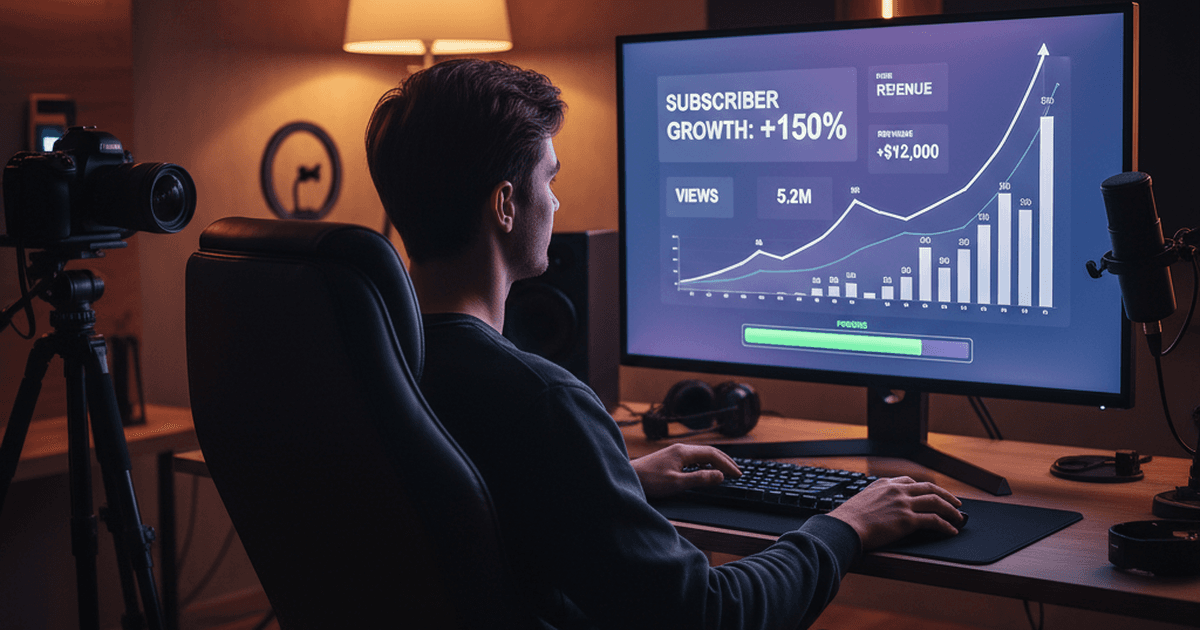
You've been creating videos for six months. Your subscriber count is up. Views are steady. Comments are mostly positive.
But here's a question those numbers can't answer: are you actually getting better on camera?
Views measure distribution. Subscribers measure loyalty. Neither tells you whether your delivery is sharper than it was last month, whether you're hitting your talking points more consistently, or whether your intros are landing faster.
Most creators stop at subscriber counts. If you want to track your growth as a video creator in a way that reflects your actual skills -- not just audience size -- you need different metrics. Here are five that work.
1. Pacing consistency
Most creators think faster is better. It's not. Consistency is what separates a confident presenter from a nervous one.
Your words-per-minute (WPM) will naturally vary by topic and format. A tutorial might land around 130 WPM while an energetic product review sits closer to 160. That's fine. What you're watching for is involuntary variation -- speeding up when you're uncomfortable, slowing down when you lose your train of thought.
Track your WPM across several sessions. You're not aiming for a specific number. You're aiming for a number that stays where you put it. When you can hold a steady pace regardless of the content, you've built a skill that audiences feel even if they can't name it.
Time a section of your recording and count the words. Or use a teleprompter with voice tracking -- tools like BirdCue will show your real-time pace as you speak. Record your WPM after each session. Even a note on your phone works.
The trend matters more than any single session. If your pacing variance drops over a month, you're improving.
2. Script coverage
Here's a scenario every creator knows: you prepped five key points. You hit three. You rambled through a tangent that wasn't in your notes. You forgot your best example.
Script coverage is the percentage of your planned talking points that you actually deliver on camera. It's a direct measure of how well your preparation translates to performance.
If you film with bullet points, this is straightforward -- review your footage and check which points you covered. If you work from a full script, it's about which sections you delivered versus which you skipped or ad-libbed away from.
After each session, compare what you planned to say against what you actually said. Score it as a percentage. A realistic starting point for most creators is 60-75%. Getting to 85-90% consistently means your prep process is working and you're disciplined enough to stick to it under pressure.
BirdCue's bullet point tracking uses semantic matching to check off your points as you speak -- even when you use different words than your notes. That automates the tracking, but the manual version works too. The habit matters more than the tool.
3. Hook success rate
Your intro is the hardest 15 seconds of any video. It sets the tone, grabs attention, and determines whether viewers stick around. It's also the section that most creators re-record the most. (We wrote a full guide on nailing your video intro if you want to go deeper on this one.)
Hook success rate tracks how many attempts your intro takes before you get one you're happy with.
Going from five takes to nail your opener down to two over a month? That's not luck. That's your prep getting better.
Count your intro attempts per video. Keep a log -- even a tally mark on a sticky note works. Over time, you'll see patterns. Maybe you nail scripted intros in fewer takes than improvised ones. Maybe morning sessions produce better hooks than afternoon ones. Those patterns are worth paying attention to.
Some creators separate their intro filming from the rest of the video. Record the intro, review it, nail it, then move on to the body. This keeps the highest-pressure section from draining your energy for everything else.
4. Session-over-session trends
Any single recording session can be off. You slept badly. The neighbor's dog barked through take three. Your energy wasn't there.
That's why individual session metrics are less useful than trends. The 30-day rolling view is where the real signal lives.
Track any of the metrics above over time and plot the trend. Are your pacing numbers tightening? Is your coverage climbing? Are your intro attempts dropping? The direction matters more than the absolute number.
This is also where tracking pays off psychologically. On a bad filming day, it's easy to feel like you're not improving. But if your 30-day trend shows clear progress, one rough session is just noise. That perspective keeps creators going when they'd otherwise get discouraged.
A simple spreadsheet works. Date, WPM, coverage percentage, intro attempts. Update it after each session. Check the trend line once a week. BirdCue's Performance Memory dashboard charts these trends automatically across all your sessions, but honestly, the spreadsheet approach gets you most of the benefit.
Tracking changes your behavior. When you know you'll record the number, you prepare differently. That alone makes a difference.
5. Coaching feedback patterns
This last metric requires something most solo creators don't have: external feedback.
When you film alone, there's nobody to tell you that your energy dropped in the second half, that you looked away from the lens during your key point, or that your pacing slowed every time you hit a technical term.
Coaching feedback patterns track whether you're acting on the notes you receive and whether those adjustments stick.
After each session, note one thing you were working on improving. After the next session, check: did you improve on that specific thing?
You can get feedback a few ways. Watch your own footage with a critical eye and pick one issue per session to work on next time. Ask a fellow creator to watch a section and give honest notes. Or use a tool like BirdCue's coaching feature, which monitors your delivery in real time and flags specific things -- like when your pace dropped or your energy dipped. These aren't generic tips. They're based on what actually happened in your session.
The pattern you're tracking is simple: did you identify an issue, did you work on it, and did the next session show improvement? If yes, your feedback loop is working. If the same issues keep showing up, something in your practice process needs to change.
Why these metrics matter
Views and subscribers are outcomes. They're influenced by thumbnails, algorithms, topics, and timing -- things that have nothing to do with your delivery skills.
The five metrics above are inputs. They measure the craft itself. A creator who tracks these will improve faster than one who only watches the analytics dashboard, because they're paying attention to the things they can actually change.
You don't need to track all five from day one. Pick one. Track it for a month. When it becomes a habit, add another.
The creators who improve fastest aren't the ones with the best gear. They're the ones who keep score.
BirdCue is a browser-based teleprompter with voice tracking, bullet point confirmation, and real-time delivery coaching for solo video creators. Performance Memory tracks your metrics across sessions so you can see your progress over time. The core teleprompter is free. Try it here.