How to Look Natural on Camera (Even When You're Nervous)
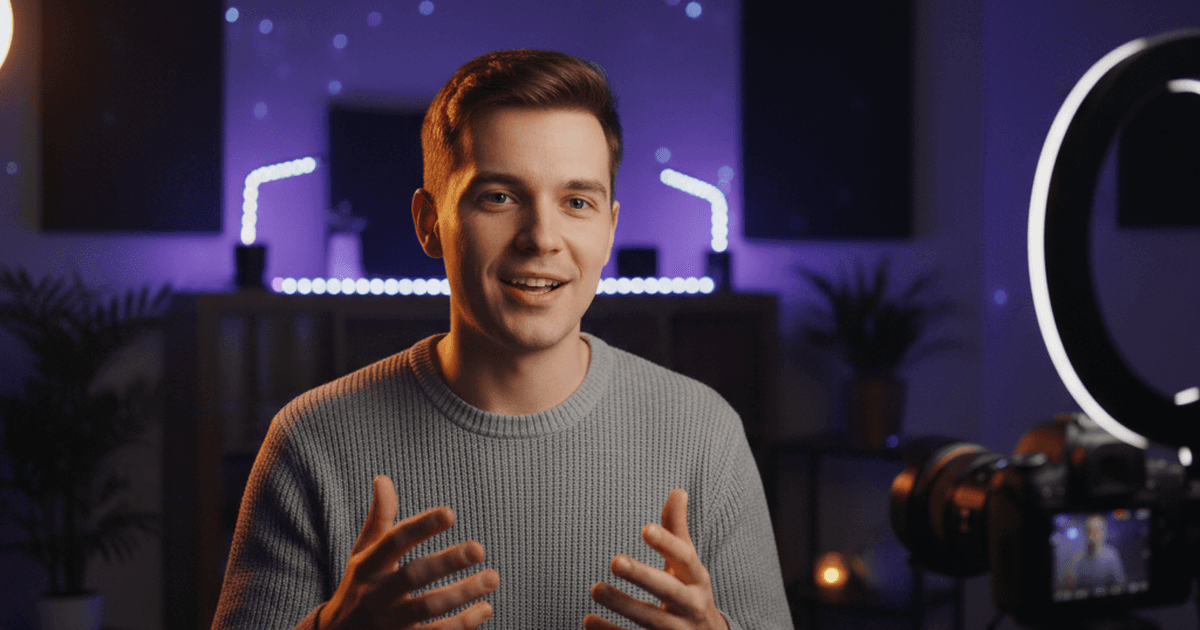
You hit record. Your mouth goes dry. Your shoulders tighten. You start talking and immediately forget what you were going to say.
Then you watch it back and the person on screen looks stiff, sounds flat, and is clearly uncomfortable. You know your stuff. You're good at explaining things. But the moment a camera turns on, something changes.
This is camera anxiety, and nearly every creator deals with it. The good news: looking natural on camera isn't a personality trait. It's a set of habits you can learn, and most of them have nothing to do with what you're saying.
Why the camera makes everything harder
In a normal conversation, you get feedback. The other person nods, laughs, reacts. You adjust your energy in real time without thinking about it.
A camera gives you nothing. No reaction, no feedback, no sign that anyone is listening. Your brain reads this as a problem -- you're talking into a void, and that void is judging you. So your body does what it always does under stress: it tenses up.
Tight shoulders. Locked jaw. Shallow breathing. Monotone voice. These aren't personality flaws. They're your nervous system responding to a situation that feels unnatural. And they all have practical fixes.
Your body language matters more than your words
Viewers decide whether they trust you in the first few seconds -- before they process what you're saying. That judgment is almost entirely based on how you look and sound.
Stand up (or sit forward)
Standing naturally increases your energy. Breathing deepens, gestures open up, and your voice finds more range. If you have to sit, sit on the front edge of your chair instead of leaning back. Leaning back reads as disengaged. Leaning slightly forward reads as interested and present.
Unlock your hands
The instinct when nervous is to grip something -- a desk edge, your own hands, the arms of a chair. Locked hands mean locked energy. Let your hands rest loosely or use them to gesture. Even if they're off camera, gesturing while you speak changes the way your voice sounds. It adds natural emphasis and rhythm.
Drop your shoulders
Before you hit record, do a quick body scan. Are your shoulders creeping up toward your ears? They probably are. Roll them back and down. Take one deep breath. This alone can shift how you come across on screen.
Slow your head movements
Nervous energy makes people nod too much, tilt their head constantly, or shift their gaze. Pick a comfortable position and mostly stay there. Small, deliberate movements look confident. Fast, frequent movements look anxious.
Breathing controls everything
This sounds basic, but most camera anxiety symptoms -- racing thoughts, shaky voice, forgetting your words -- trace back to shallow breathing.
When you're nervous, you breathe from your chest. Short, shallow breaths. This starves your brain of oxygen and triggers more anxiety. It's a feedback loop.
The 4-4-4 reset
Before you record, do three rounds of box breathing:
- Breathe in for 4 seconds
- Hold for 4 seconds
- Breathe out for 4 seconds
That's it. Forty seconds total. It activates your parasympathetic nervous system and tells your body the threat isn't real. Do it between takes too -- especially after a fumbled take when frustration is building.
Breathe before you speak
When you hit record, don't start talking immediately. Take one full breath first. That pause feels awkward to you but it's invisible to your viewer, and it gives your voice a grounded, controlled quality from the first word.
Eye contact without the intensity
Looking directly into a camera lens is strange. It doesn't blink. It doesn't react. Holding eye contact with it feels confrontational.
Talk to one person
Imagine a specific person you know -- a friend, a colleague, someone who'd actually ask you about this topic. Talk to them through the lens. This shifts your brain from "performing for an audience" to "explaining something to someone I know." Your face relaxes. Your tone softens. You sound like a person instead of a presenter.
Break eye contact on purpose
Real conversations aren't constant eye contact. People look away when thinking, glance to the side when transitioning between ideas, look down briefly when gathering a thought.
Build these breaks into your delivery. At the end of a section, look away for a beat before starting the next one. It looks natural because it is how people actually talk.
Prepare enough to feel safe, not so much you sound scripted
There's a sweet spot between winging it and memorizing a script word for word. Go too far in either direction and you'll look uncomfortable.
Know your first and last line
Memorize your opening line and your closing line. That's it. If you nail your intro, momentum carries you through the middle. If you know exactly how to end, you don't get that panicked "how do I wrap this up" energy in the final thirty seconds.
Use bullet points, not full scripts
Write your key points as short phrases, not full sentences. When you record, glance at the bullet point and then deliver the idea in your own words. This gives you structure without sounding robotic.
If you're using a teleprompter, formatting your script as bullet points instead of dense paragraphs makes it much easier to look natural. You're grabbing ideas, not reading sentences.
Give yourself permission to restart
This is a recording, not a live broadcast. You can start over. Knowing this -- really internalizing it -- takes an enormous amount of pressure off. Many experienced creators do three to five takes of their opener before they settle into a rhythm. That's normal, not failure.
Use tools that match your pace
The wrong tool setup creates more anxiety, not less. A teleprompter that scrolls too fast forces you to rush. One that scrolls too slow makes you wait awkwardly between lines. Both make you look like you're reading.
Voice-tracked teleprompters solve this by matching the scroll to your natural speech. You speed up, they speed up. You pause, they pause. This means you can focus on delivery instead of chasing text.
If you're working alone, there's nobody in the room to say "your energy just dropped" or "you've been speaking in the same tone for two minutes." A coaching tool fills that gap. BirdCue offers this through Robyn, its real-time coaching companion, which gives live feedback on tone, pacing, and energy during recording.
Neither of these tools replaces practice. But they remove friction points that make camera anxiety worse.
The truth about looking natural
Nobody looks natural on camera without practice. The creators you watch and think "they're just being themselves" have done hundreds of takes to get there. They've developed habits -- breathing routines, body language defaults, warm-up rituals -- that make the camera feel less foreign.
You don't need to be born comfortable on camera. You need to record enough that the discomfort fades. And every practical technique in this article -- from box breathing to bullet points to planned eye breaks -- gives you something concrete to focus on instead of the anxiety.
Start with the one that addresses your biggest problem. If your voice sounds flat, stand up and gesture. If you forget your words, use bullet points. If your body is tense, do the breathing reset before every take.
Small changes. Consistent practice. That's the whole formula.
BirdCue is a browser-based teleprompter with voice tracking and real-time delivery coaching. The core teleprompter is free. Try it here.