Teleprompter vs Bullet Points: Which Is Better for Video?
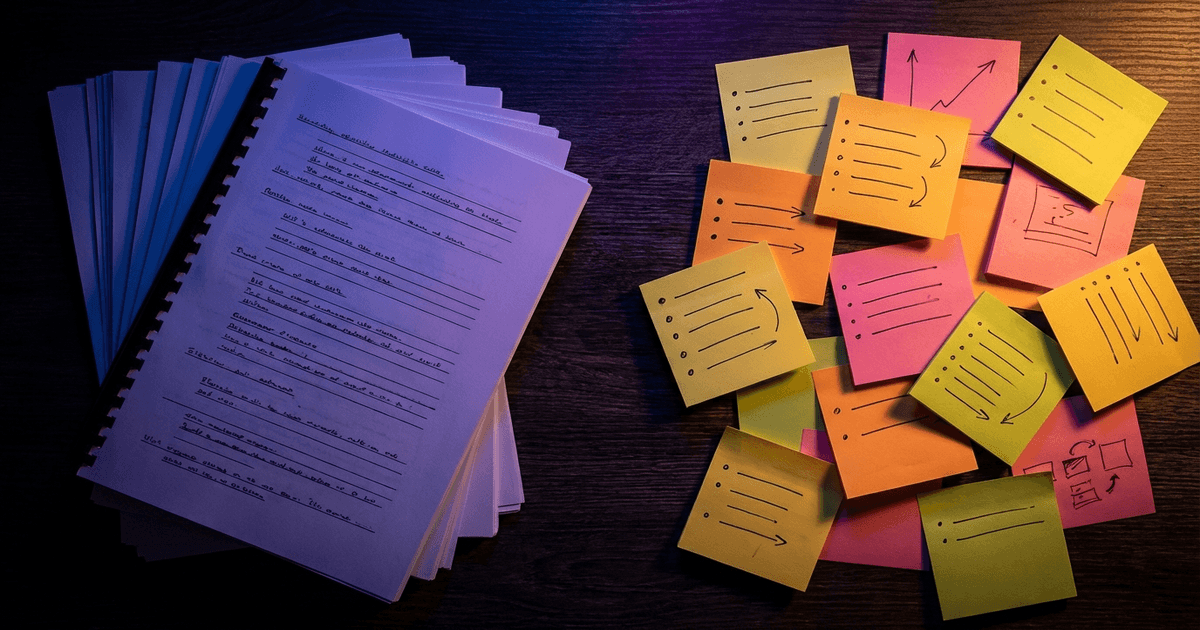
You're about to hit record. Do you pull up a full script on a teleprompter, or jot down a few bullet points and wing it?
This is one of those debates that video creators never fully settle. Some swear by scripting every word. Others refuse to read anything on camera because it kills their energy. Both sides have a point, and neither approach is perfect on its own.
The real answer depends on the type of video you're making and how much you can afford to improvise.
How teleprompters actually work for video
A teleprompter displays your full script while you record, either on a screen mounted near the camera lens or in a browser window on your laptop. You read the words, deliver them to camera, and (in theory) cut down on takes.
Traditional teleprompters scroll at a fixed speed. You set the pace before recording and hope your natural speaking rhythm matches. When it doesn't (and it usually doesn't), you end up either rushing to keep up or waiting awkwardly for the next line. This is why timer-based teleprompters cause so many problems for solo creators.
Newer tools use voice-tracked scrolling, where the text moves at the pace of your speech. Pause, and the script pauses. Speed up, and it follows. This solves the pacing problem, but you're still reading. And reading brings its own challenges.
Where teleprompters work well
Precision matters. If you're recording a product demo, a compliance video, or anything where specific phrasing matters, a teleprompter keeps you on-script. You won't accidentally skip a key feature or fumble a disclaimer.
You film a lot of content. Weekly YouTube videos, course modules, client testimonials. When you need to produce volume, scripting saves time in editing because you spend less time cutting filler and retakes.
You're new to camera. A full script is a safety net. It gives nervous creators something to hold onto while they build confidence. Just be aware that the safety net can become a crutch if you rely on it too long.
Where teleprompters fall short
You sound like you're reading. This is the big one. Even with a great script, most people deliver teleprompter content in a flatter, more monotone way than when they speak freely. Your eyes track left to right. Your pauses land between sentences instead of between thoughts. Viewers notice, even if they can't explain why.
We covered this in depth in our guide on reading scripts on camera naturally, but the short version is: the more tightly you follow a script, the harder it is to sound like yourself.
Scripts take time to write. A good video script isn't just an essay you read aloud. It needs to sound like speech, not writing. That means shorter sentences, fragments, contractions, and rhythms that match your natural talking cadence. Most creators don't write this way, so scripts take longer to prepare than they expect.
You lose spontaneity. Some of the best moments on camera happen when you go off-script. A joke that lands, a tangent that explains something better than the planned version. A teleprompter discourages all of that because the next line is always waiting.
How bullet points work for video
The bullet point approach is the opposite. Instead of scripting every word, you list the points you want to hit and talk through them naturally. No reading, no scrolling text. Just you and your talking points.
This is how most podcast hosts work. It's also how a lot of experienced YouTubers film, especially for vlogs, commentary, and talking-head content.
Where bullet points work well
You sound like yourself. When you're not reading, your voice has more range. You emphasize words differently, pause where it feels natural, and make eye contact with the lens instead of tracking text. The result sounds conversational because it is.
You riff better. Bullet points give you room to follow a thought, add a spontaneous example, or react to something in the moment. That energy is hard to fake with a scripted delivery.
Faster prep. Writing five bullet points takes ten minutes. Writing a full script for the same video takes an hour. For creators who publish frequently, this difference adds up fast.
Where bullet points fall short
You miss things. This is the big problem. Without a script, it's easy to forget a point, skip a section, or realize during editing that you never covered the thing the video was supposed to be about. Now you're either re-recording or publishing with a gap.
Rambling. Freedom is great until you're three minutes into a tangent about something that has nothing to do with your topic. Bullet points don't stop you from going off the rails. They just give you a rough map, and wandering off it is surprisingly easy.
More editing. Improvised takes are messier. You'll say "um" more, repeat yourself, start sentences over. That means more time cutting and tightening in post. For solo creators who handle their own editing, this is a real cost.
The hybrid approach: tracked bullet points
Most creators treat this as an either/or choice. It's not.
Instead of scripting every word or working from a bare list, you load your talking points into a tool that tracks which ones you've covered during the take. You speak naturally, no reading, and the tool confirms each point as you hit it.
This is what BirdCue's bullet point tracking does. You load your points before recording. As you speak, BirdCue uses semantic matching to detect when you've covered each one, even if you said it in completely different words than what you wrote down. Each bullet ticks off automatically. You always know what you've covered and what's left without checking a script.
The simplest way to think about it: a teleprompter tells you what to say. Bullet points remind you what to cover. Tracked bullets remind you what to cover and tell you when you've done it.
You still get to speak naturally. You just don't have to wonder whether you missed something.
BirdCue's coaching companion Robyn adds audio cues on top of this. During the take, you hear a confirmation when you've hit a bullet, so you don't need to glance at the screen at all. It's like having a producer in your ear who says "got it, move on" after each point.
When to use which approach
There's no universal answer, but these guidelines hold for most creators:
Use a full teleprompter script when:
- You need exact phrasing (legal, medical, compliance content)
- You're reading someone else's copy (spokesperson, narrator)
- You're brand new to camera and need the confidence boost
Use bare bullet points when:
- You're recording a casual vlog or commentary
- You know the topic cold and just need a loose structure
- The energy of improvisation is more important than precision
- You're doing a short take (under 2 minutes) where a script is overkill
Use tracked bullet points when:
- You want to sound natural but can't afford to miss key points
- You're filming tutorials, courses, or any content where coverage matters
- You record regularly and need a workflow that doesn't eat into your prep time
Most solo creators land on tracked bullets once they've tried it. It matches how you actually think when explaining something: you have the points in your head, you talk through them, you move on.
Making the switch
If you've been using a teleprompter and want to try bullet points, start with a topic you know well. Record one take with your script and one with just five or six key points. Watch both back. The scripted version will probably be tighter. The bullet version will probably sound more alive. From there, you can decide which tradeoff matters more for your content.
If you've been using bare bullet points and keep missing things, you don't need to go back to a full script. You need a system that tracks coverage for you. That's the gap tracked bullet points fill.
Either way, the goal is the same: sound like a person talking, not a person reading. Everything else is just tooling.
BirdCue is a browser-based production tool for solo video creators. Voice-tracked teleprompter, bullet point tracking with semantic matching, and delivery coaching. Try it free.