The Solo Creator's Guide to Filming Pieces to Camera
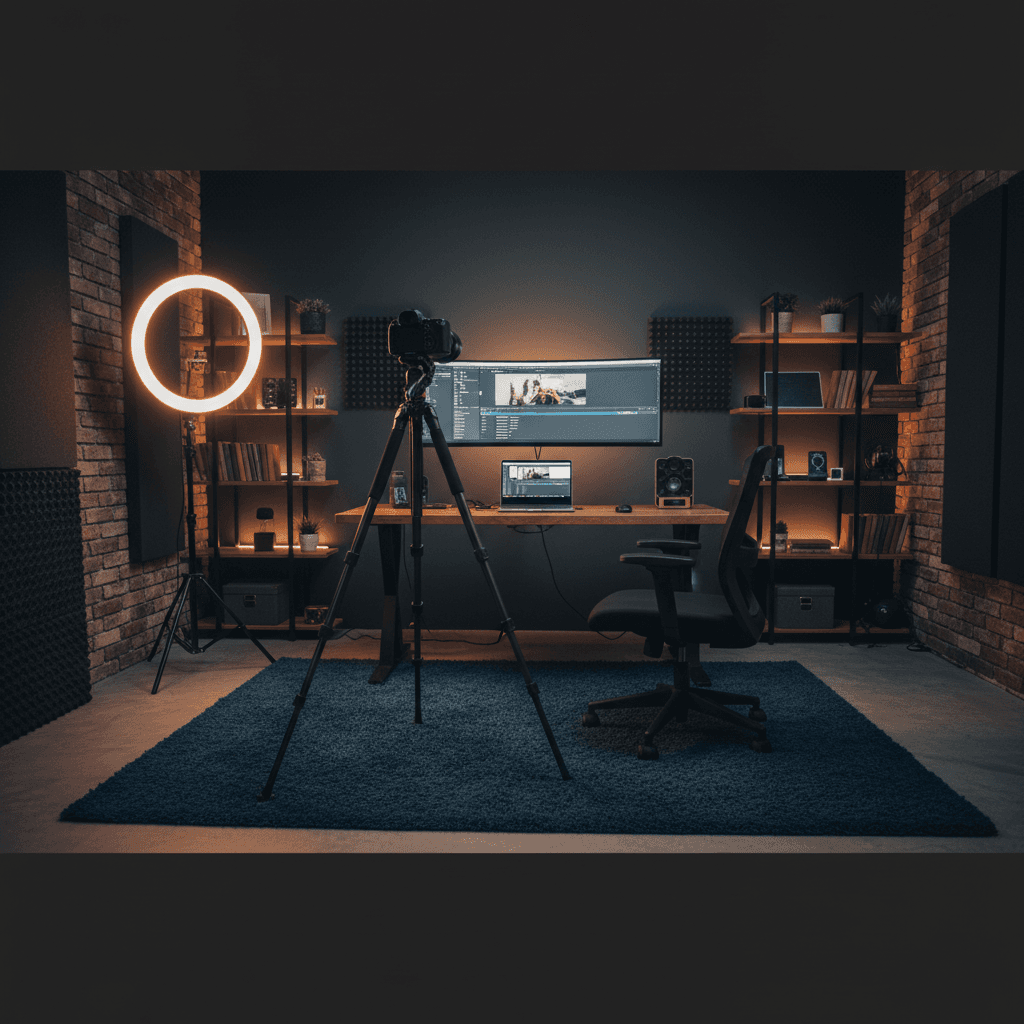
Filming a piece to camera is deceptively simple. You sit down, look at the lens, and talk.
Except it never works like that. You forget what you were going to say. You stumble over a sentence and have to start over. You watch the playback and realize you look stiff, sound flat, or spent the whole video staring slightly to the left of the camera.
Every solo creator goes through this. The difference between creators who quit and creators who get good at it isn't talent. It's workflow.
This guide covers what actually works when you're the talent, the director, and the crew all at once.
What is a piece to camera?
A piece to camera (PTC) is any video where you speak directly to the viewer through the lens. News anchors do it. YouTubers do it. Course creators do it. Anyone who's ever recorded a video of themselves talking has filmed a piece to camera.
It's the most common format in online video and the one that exposes weaknesses fastest. There's no B-roll to hide behind, no interview subject to bounce off. Just you and the lens.
That's also what makes it powerful. Done well, a piece to camera feels like a one-on-one conversation. Your viewer feels like you're talking to them, not at them.
Step 1: Script or no script?
This is the first decision every solo creator faces, and there's no universal right answer.
Option A: Full script
Best for: Course content, tutorials, product reviews, anything where precision matters.
Write out every word you plan to say. Use a teleprompter to deliver it. This gives you the most control over your message and the fewest retakes.
The risk: you sound like you're reading. The fix: write for speech, not for text. Use contractions, fragments, and the words you actually use in conversation. Read it out loud before recording. If any sentence makes you stumble, rewrite it.
Option B: Bullet points
Best for: Vlogs, opinion pieces, casual content, anything where personality matters more than precision.
List the key points you want to hit but don't script the exact words. You'll sound more natural because you're genuinely forming sentences in real time.
The risk: you ramble, forget points, or go off on tangents. The fix: keep the bullet list visible while recording. A teleprompter with bullet point tracking can confirm when you've covered each point, so you can stay loose without losing your place.
Some teleprompters can track your bullet points for you. BirdCue, for example, listens to what you're saying and checks off each point as you cover it -- even if you don't use the exact words. It's a different feel from reading a full script, and it works well if you'd rather talk through ideas than read them.
Option C: No notes
Best for: Very short content (under 60 seconds), or creators who know their topic inside out.
Just hit record and talk. Fastest to produce, highest risk of needing multiple takes.
The practical middle ground: Most experienced creators use bullet points with a few fully scripted sections (usually the intro and the call to action). This gives you the benefits of both approaches.
Step 2: Setting up your shot
You don't need expensive gear. You do need consistent basics.
Camera
Your phone is fine. Seriously. A modern smartphone in good lighting will produce better video than an expensive camera in bad lighting.
If you want to upgrade, a mirrorless camera with a flip screen (so you can see yourself while recording) is the standard creator setup. But start with what you have.
Framing
The rule of thirds applies: position your eyes roughly one-third from the top of the frame. Leave a small amount of headroom. Don't center yourself vertically -- it wastes space and looks amateur.
For talking head content, a medium close-up (head and shoulders) works best. It's close enough to feel personal, far enough to allow natural gestures.
Lighting
The single biggest quality upgrade you can make. Options from free to cheap:
- Window light (free): Sit facing a window. The soft, even light is hard to beat. Avoid direct sunlight -- it creates harsh shadows.
- Ring light ($20-50): Provides even, front-facing light. Good for starting out. Can create a distinctive ring reflection in your eyes that some viewers find distracting.
- Two-point lighting ($50-100): A key light to one side, a fill light or reflector on the other. More depth and dimension than a ring light.
The goal: even lighting on your face with minimal shadows under your eyes and chin.
Audio
Bad audio kills videos faster than bad lighting. Viewers will watch grainy footage if it sounds good, but they'll click away from 4K with echo. Your built-in laptop mic isn't going to cut it. Options:
- Lavalier mic ($20-40): Clips to your shirt. Consistent audio regardless of head movement. The Rode Lavalier GO or its budget equivalents are solid.
- USB condenser mic ($50-100): Sits on your desk. Better audio quality but picks up more room noise. Lots of options in this range -- the Samson Q2U is worth a look because it works as both USB and XLR.
- Shotgun mic ($100+): Mounts on camera, picks up audio from the direction it points. Less room noise than a condenser.
Whatever you choose, do a test recording and listen with headphones before your real session.
Background
Keep it simple and intentional. A cluttered background distracts from your message. Good options: a clean bookshelf, a plain wall with one or two items, a tidy desk setup.
Avoid: unmade beds, busy patterns, windows behind you (backlight makes you a silhouette).
Step 3: Teleprompter setup
If you're using a script or detailed notes, a teleprompter keeps the text near your camera lens so you can reference it without looking away. We've covered how to set up a teleprompter at home in a separate guide, but here's the quick version.
Hardware teleprompter
A physical teleprompter uses a beam-splitter mirror in front of your camera lens. You read text reflected on the glass while the camera shoots through it. Professional newsrooms use these. For solo creators, affordable options start around $100.
Pros: Text appears directly over the lens -- zero visible eye movement. Cons: Extra gear, setup time, limited to one camera position.
Software teleprompter
A browser-based or app-based teleprompter displays text on your screen. You position the window as close to your webcam as possible.
Pros: No extra hardware, works immediately, can use on any device. Cons: Text isn't directly over the lens, so some eye movement is visible. Minimized by positioning the teleprompter window at the top of your screen, near the webcam.
BirdCue is one option here -- it runs in the browser, so there's nothing to install. You just open it on whatever device you're filming with.
Key settings
- Font size: Large enough to read without squinting. If you're leaning forward, the text is too small.
- Scroll speed: If using a timer, match it to your natural speaking pace -- though timer-based scrolling creates its own problems. If using voice tracking, the text follows you automatically.
- Text width: Narrow columns (40-50 characters) are easier to read than full-width text because your eyes travel less distance per line.
- Contrast: Light text on dark background reduces screen glare and is easier on your eyes during long sessions.
Step 4: Delivery
This is where most solo creators struggle because there's no one in the room to give feedback.
Talk to one person
Don't think about your audience as a crowd. Pick one specific person -- a friend, a subscriber who commented, your past self -- and talk to them. This shifts your delivery from "presenting" to "explaining" and makes you sound more natural on camera.
Use your hands
Even if your hands are off camera, gesturing while you talk changes your vocal delivery. It adds natural emphasis and variation. Try recording the same paragraph with your hands in your lap, then with natural gestures. The difference is audible.
The two-take method
Take 1: Focus on getting the words right. Read the script, hit the points, don't worry about performance.
Take 2: You already know the content. Now focus entirely on energy, eye contact, and delivery. This take is almost always better.
Some creators do a Take 0 before either: just riff on the topic for two minutes without any notes to warm up their voice and get into the zone.
Energy management
Your energy on camera needs to be about 20% higher than your normal conversational energy. What feels slightly over the top to you will look natural on screen.
Tips:
- Stand up if possible. Standing increases vocal energy.
- Record your most important content early in the session, when energy is highest.
- Take breaks between sections. Five minutes off camera resets your delivery.
Getting feedback when you're alone
The hardest part of solo filming: nobody tells you when something is off.
Options:
- Record and review. Watch your footage before your next take. Tedious but effective.
- Film with a friend on a video call. They watch and give real-time feedback.
- Use a coaching tool. BirdCue's coaching companion Robyn can flag energy drops and pacing issues through a connected earpiece while you record. She won't replace a real person's feedback, but when you're alone at 9pm trying to finish a batch, it's better than guessing.
Common problems and fixes
| Problem | Likely cause | Fix |
|---|---|---|
| You look like you're reading | Script is too formal, eyes locked on text | Rewrite in spoken language, use bullet points instead of full script |
| Audio echoes or sounds hollow | Hard surfaces in room, mic too far away | Add soft furnishings, move mic closer, use a lavalier |
| You look washed out or dark | Bad lighting angle | Move light source in front of you, not behind |
| You keep losing your place | Script is too long or text is too small | Break into shorter segments, increase font size |
| You sound flat | Low energy, too many takes | Stand up, warm up first, use the two-take method |
| Your eyes dart around | Teleprompter too far from lens | Reposition text window closer to webcam, or narrow the text column |
The workflow that works
Here's the workflow most creators settle into once they've done this a few times:
- Outline first. Bullet points for each section, fully scripted intro and outro.
- Set up once, film everything. Don't tear down between videos if you're batching.
- Warm up. Two minutes of talking before you hit record on the real content.
- Two takes per section. One for accuracy, one for energy.
- Review the opener. If your first 10 seconds are good, the rest usually follows.
- Iterate. Your 20th video will be dramatically better than your first. The only way to get there is through the first 19.
You're not trying to be perfect. You're trying to build a process you can repeat without dreading it. That's what separates creators who post consistently from those who burn out after five videos.
BirdCue is a browser-based teleprompter with voice tracking and real-time delivery coaching. The core teleprompter is free. Try it here.